

Blog · 24 May 2026 · 3 min read
Stop sharing your hosting password with your bookkeeper
Most hosting accounts get shared the wrong way. One login, one password, passed around to the developer who needs cPanel, the bookkeeper who needs invoices, the agency that needs a status check. Invites with roles fix that. Free on every GoCelerus account, owner stays the boss.
By Admin GoCelerus
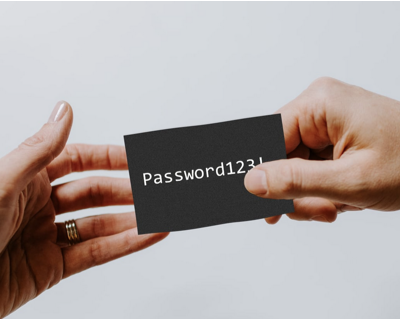
How hosting passwords actually get leaked
The bookkeeper needs to download last month's invoice. You send them the GoCelerus login over WhatsApp. They forward it to their accounting platform. The platform stores it. The platform gets breached. Suddenly someone with no business near your cPanel can suspend services.
This isn't a hypothetical. It's the most common hosting-account compromise we see in support tickets. The credentials weren't phished; they were shared, and then the shared copy was the weak link.
The fix is structural — let people in with scoped access, not with your password.
What you get
Every customer account on GoCelerus supports team invites. The owner (whoever signed up first) sends an email invite, the invitee creates their own login, and they get the access level you picked, not the access you have.
Three roles, escalating:
- Member — view-only on the services you select. No billing, no account changes. Use this for developers who need to see a server's status or pull connection details.
- Billing — everything Member can do, plus invoices, payments, and renewals. Use this for accountants and finance teams.
- Owner — full control. Can manage other members, change account settings, terminate services. There's exactly one per account and the original signup-er can't be removed.
Scope it to specific services
The pivot table customer_member_services lets you pick, at invite time, which services a member can see. A developer maintaining the WordPress production server doesn't need access to your VPS that runs internal tools. Empty service list = full access (the default, for billing-level invites that need to see everything).
Per-service scoping is in the invite flow itself — you don't need to manage it after the fact. The member sees a filtered service list when they log in; everything else stays invisible.
How an invite works in practice
- Owner goes to Account → Team.
- Enters the invitee's email + picks role + (optionally) picks specific services.
- Email goes out with a 64-character one-time token, valid 7 days.
- Invitee clicks, creates a password (or signs in with Google if their email matches), and lands in the dashboard with the access level you set.
- If they were already a customer on another GoCelerus account, the email goes to a switcher — they keep their own account and gain access to yours alongside.
7 days is the token TTL. Expired invites can be reissued; revoked invites stop working the instant you click revoke (the token is server-side, not just hidden in the UI).
What this is not
- Not multi-tenancy. Members don't get their own billing — invoices stay on the owner's account.
- Not delegated billing. A billing-role member can pay an invoice, but the payment method, refunds, and credit balance belong to the owner.
- Not an org-level abstraction. GoCelerus accounts are still individual customers; team members are people inside one customer's account, not an enterprise hierarchy.
If you need actual multi-customer aggregation (an agency wanting to bill multiple sub-clients separately), that's outside this feature. Worth a conversation in support if it's blocking you — we've heard the use case.
Why this is free on every plan
Two reasons we didn't gate this behind a tier:
- It's a security primitive. Charging extra for "don't share your password" creates the wrong incentive. The customers most likely to skip a paid security feature are the ones we most want to use it.
- Audit logs. Every action a team member takes is attributed to them, not to the owner. If something goes wrong, you know who clicked it. That's only useful if everyone has their own login, which is only true if everyone can have their own login.
Both reasons land the same place: invites should be a default, not a paywall.
Get started
Account → Team → Invite. First invite takes 30 seconds, including reading the role descriptions. Stop sharing your password.